Core Features
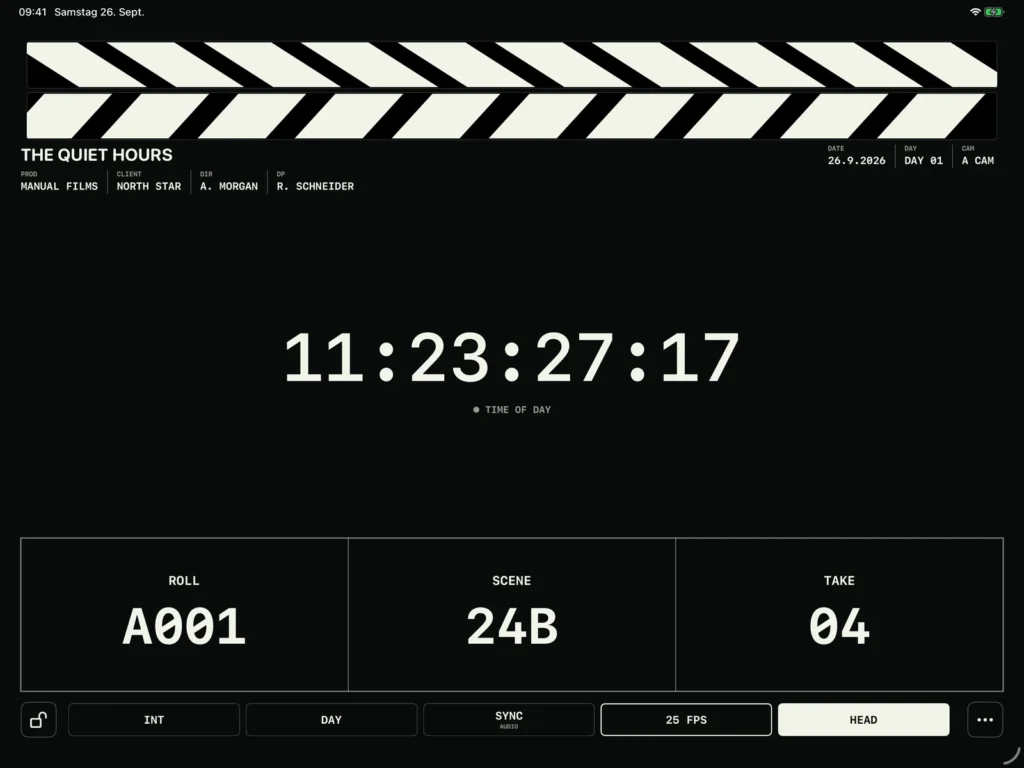
A slate built for the next take
The refined Field slate keeps Roll, Scene and Take large and clearly divided. Choose Standard, Compact or Production Focus without losing the essential shot layout.
Clappy meets Blackmagic Camera
Connect a compatible camera over Bluetooth for active Reel, Timecode, supported lens data and confirmed next-clip metadata. Recording remains camera-controlled.

Clap once. Keep the record
Capture timecode with the digital or physical clapper, end the take, then keep slate and lens metadata together in the production’s Shot Log.
Timecode that fits your setup
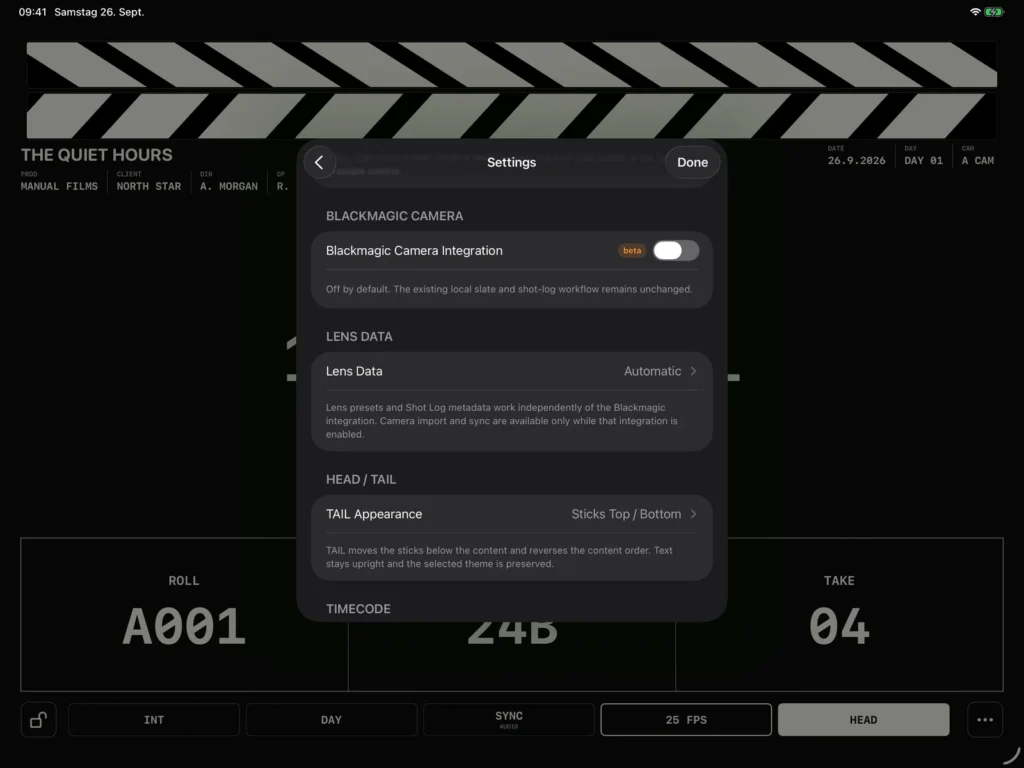
Follow a connected Blackmagic camera, use Time of Day or Free Run, or work with live LTC and jam sync. Lock, holdover and rate warnings stay visible.
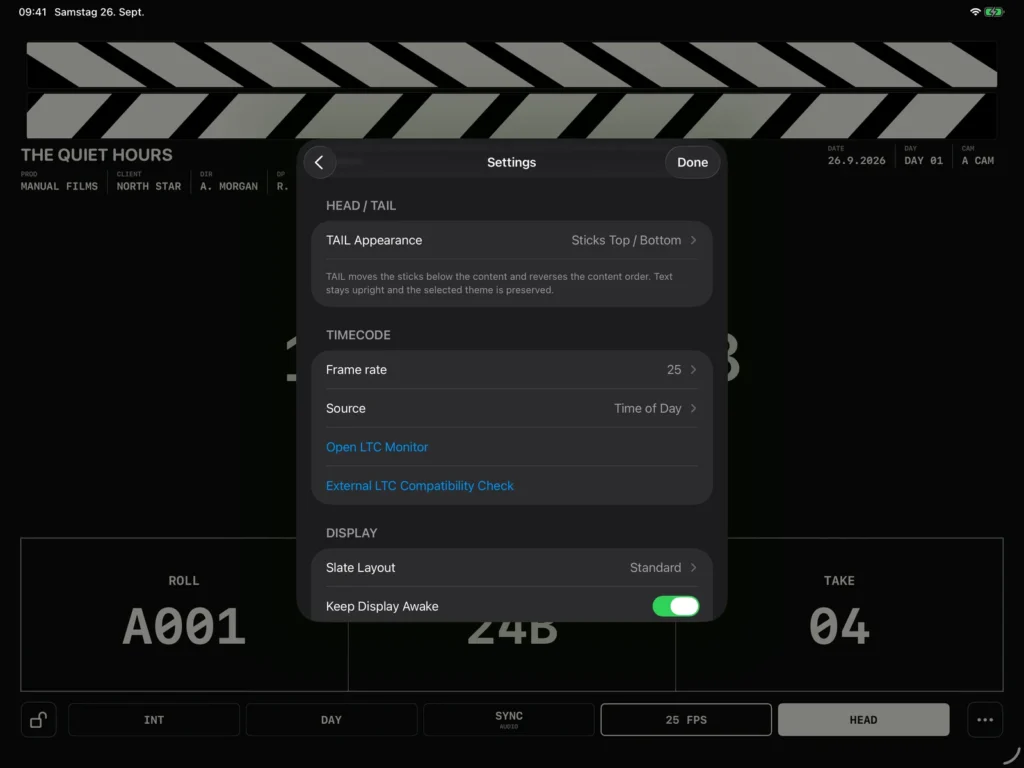
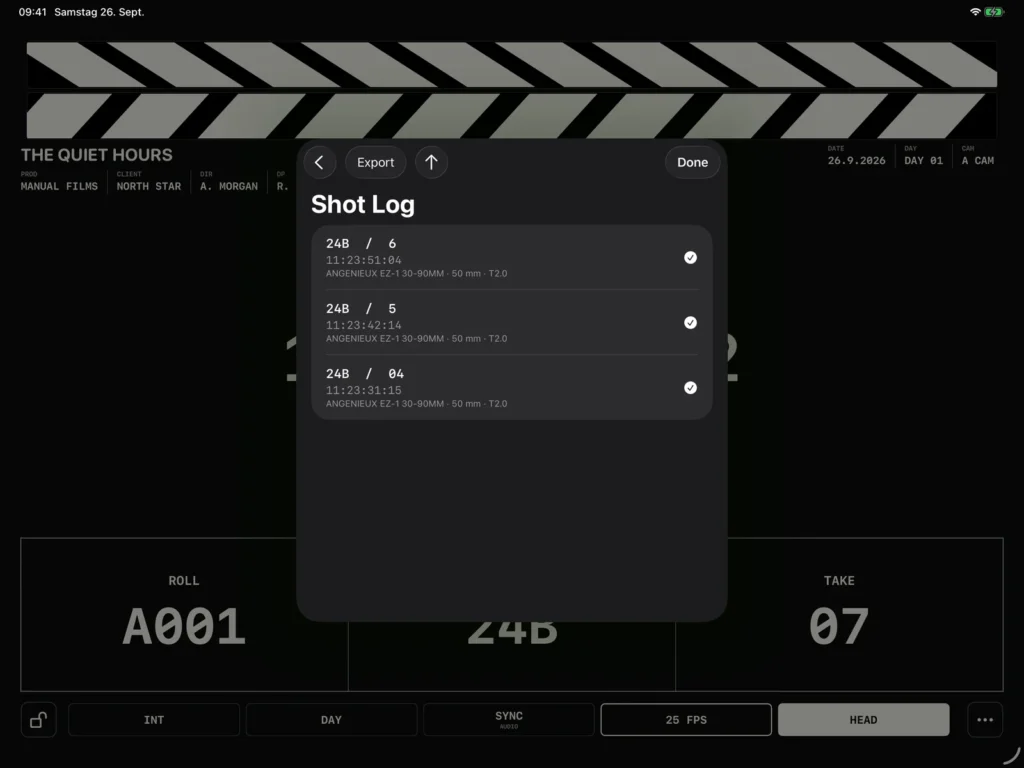
From set to handover
Circle takes, flag false starts, add notes and export CSV, JSON or a PDF camera report containing slate, timecode and lens fields.
Clappy features
Blackmagic Camera beta
Use local Bluetooth Camera Control for supported metadata and camera Timecode.
Digital clapper
Tap the on-screen sticks to capture timecode and start a take.
Physical clapper detection
Detect a physical clap through a compatible input, with sensitivity settings and calibration.
LTC input & jam sync
Follow incoming LTC or jam to a valid signal and continue locally.
Lock & holdover status
See the current sync state and continue from the last valid timecode if live LTC is lost.
LTC monitor
Inspect input, channel, sample rate, audio levels, timecode and lock diagnostics.
Project frame rates
Work from 23.976 to 60 fps, including 29.97 and 59.94 drop-frame modes.
Automatic take numbering
Advance the take number when a take ends and step through alphanumeric scene values.
Head, tail, SYNC & MOS
Set the slate position and sound mode directly on the slate.
Shot log & take flags
Keep timecode and slate details together, with circled and false-take markers.
Quick notes
Add free-text notes or use presets such as GOOD TAKE, SOFT FOCUS and VFX PLATE.
CSV, JSON & PDF export
Share structured shot data or a readable PDF camera report.
Multiple productions
Switch productions and maintain a separate shot log for each one.
Production details & logo
Add company, client, director, cinematographer, camera and a local production logo.
Three slate layouts
Choose Standard, Compact or Production Focus and adjust the timecode size.
Slate colours & themes
Choose white, yellow or blue with a light, dark or system theme.
Set controls
Keep the display awake, adjust brightness and protect controls during a running take.
Offline workflow
Work without an account or connection. Clappy processes audio locally and keeps production data on your iPad until you export it.
Pricing
One purchase. Every feature.
The complete digital slate, timecode and shot-log workflow for your iPad.
- Digital and physical clapper workflows
- Live LTC, jam sync and LTC monitor
- Multiple productions and local shot logs
- Circled takes, false takes and quick notes
- CSV, JSON and PDF camera report exports
- All slate layouts, colours, TAIL styles and display options
- Manual editing lock between takes
- Optional Blackmagic camera integration beta over Bluetooth
For camera assistants, cinematographers and crews who want a clear slate and a useful record of the shoot.
Price: One-time purchase CTA: View price on the App Store No subscription. No in-app purchases. Local pricing is shown in the App Store.