
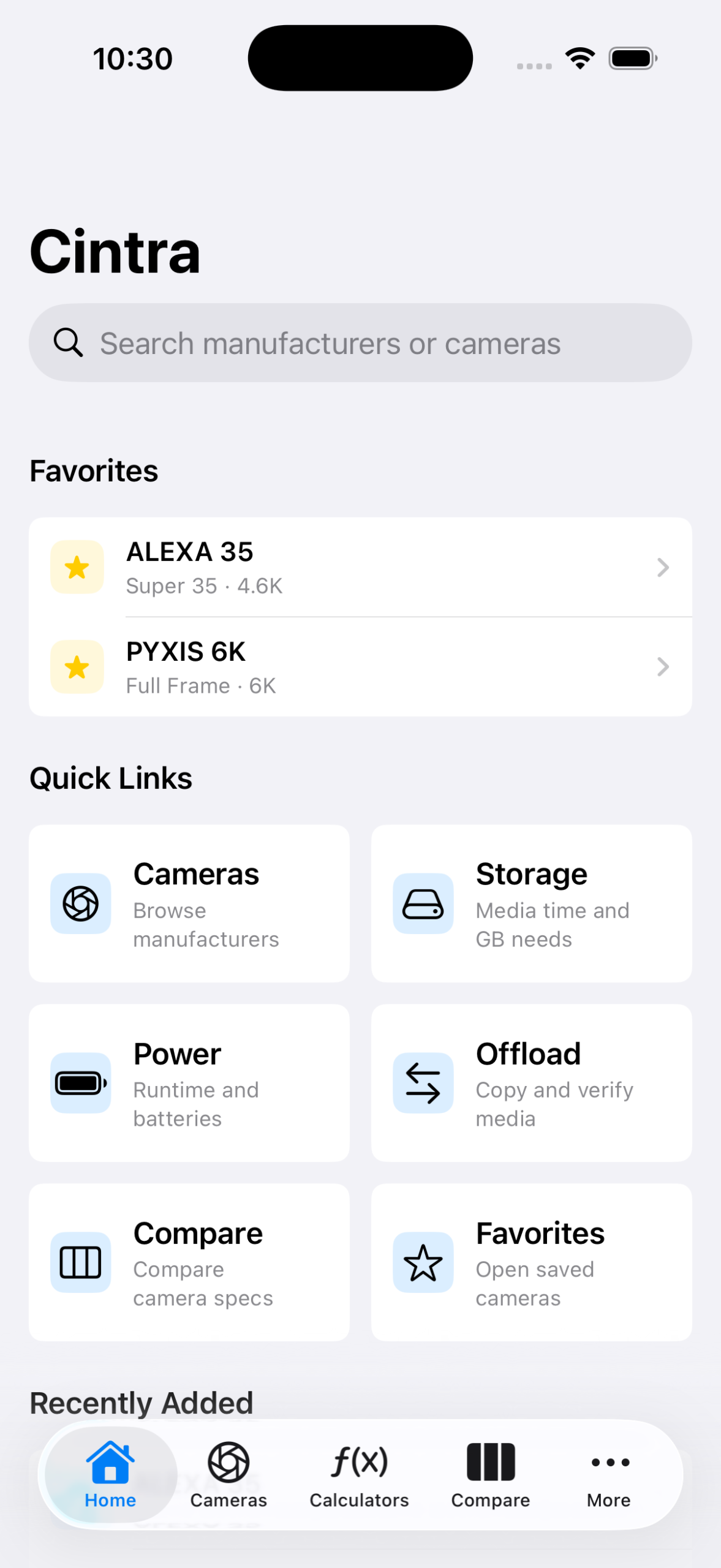
Cintra brings camera specs, recording formats and production calculations into one focused iPhone app. Browse the details that matter in prep, compare options quickly and estimate media, offload time and power before the first card fills up. The camera catalog updates independently of app releases, so new and corrected camera data can reach your device without waiting for an App Store update. Built for cinematographers, camera assistants, DITs and production teams.
Core Features

A camera catalog for production decisions
Move from manufacturer to the information you need without digging through PDFs. Each camera profile brings sensor, recording, media and power details together in a compact reference. Refresh the catalog when new cameras or updated technical details are published, without updating the app itself.
Recording formats in context
Inspect codecs, resolutions, frame rates, bitrates and media requirements in the context of the selected camera. Filter recording modes when the decision is about a specific format rather than the camera body alone.


Plan storage before the card fills up
Estimate recording time from camera, recording mode and media capacity. Use the same context to plan offloads and account for copies, sustained transfer speed and practical safety margins.
Power planning that follows the build
Estimate battery runtime from camera draw, accessories and usable battery
capacity. Compare power profiles and work back from the runtime a shooting day actually needs.


Compare and keep a working shortlist
Compare camera bodies side by side and save frequently used models as
favorites. The catalog is cached for offline-friendly access, with published
updates available when you are back online.
Plan offloads before transfer starts
Estimate offload time from data size, source read speed and destination write speed. Include multiple copies and checksum verification to identify the bottleneck and plan reliable handovers on set.

Cintra features
Included Camera Catalog
Browse the included free camera profiles: ARRI ALEXA Mini, Blackmagic URSA Broadcast G2 and Sony PMW-F55.
Manufacturer Browsing
Move from manufacturer to camera model without working through separate PDFs and websites.
Camera Profiles
Review practical camera details including sensor format, mount, resolution, frame-rate capability, media and typical power draw.
Recording Modes
Inspect codec, resolution, aspect ratio, bit depth, frame rates, bitrate and
recording media in the context of a selected camera.
Recording Filters
Narrow recording modes by codec, aspect ratio, sensor mode, resolution, frame rate and bitrate.
Sensor & Aspect Ratio
Check sensor modes, open-gate options, crop context and extraction previews.
Storage Calculator
Estimate recording time, data rate and hourly storage needs from the selected camera, recording mode and media capacity.
Offload Calculator
Estimate transfer time using data size, read and write speeds, copies and
checksum verification.
Power Calculator
Calculate runtime from camera draw, accessory load, battery capacity and a target shooting duration.
Camera Comparison
Build a side-by-side matrix for sensor, recording, media, power and technical
camera details.
Favorites
Keep a working shortlist of frequently used camera bodies.
Calculator Presets
Save reusable Storage, Offload and Power calculation setups for recurring shoot configurations.
Offline Use
Downloaded camera data, favorites and calculator presets remain available
without a connection.
Catalog Updates
Refresh the local catalog when new camera models, recording information or corrected technical details are available. Catalog updates arrive independently of App Store releases, so the app does not need to be updated for every new camera.
Full Camera Catalog
Unlock every supported camera model and manufacturer beyond the three included
free cameras.
Full-Catalog Calculators
Use every supported camera in Storage and Power calculations.
Full-Catalog Comparison
Compare any supported camera bodies side by side.
Full-Catalog Favorites
Save and manage favorites from the complete camera catalog.
iCloud Sync
Sync favorites and saved Storage, Offload and Power presets privately across
your Apple devices with iCloud.
Pricing
Cintra
Start free. Unlock the full catalog when your prep needs it.
- Choose ARRI ALEXA Mini, Blackmagic URSA Broadcast G2 or Sony PMW-F55.
- Inspect camera details, sensor specifications and recording modes.
- Estimate storage, offload time and power for the included cameras.
- Compare and save included cameras as favorites.
- Keep the catalog available with offline-friendly caching.
- Best for trying Cintra or planning a shoot around one of the included bodies.
Free
Popular
Cintra Pro
Unlock every supported camera for complete prep, comparison and calculation
workflows.
- Browse the full camera catalog across all supported manufacturers.
- Access every camera profile, sensor format and recording mode.
- Use any supported camera in Storage, Offload and Power calculations.
- Compare any camera bodies and build a full-catalog favorites list.
- Keep all catalog data available in the same offline-friendly workflow.
- Sync favorites and saved calculator presets across your devices with iCloud.
- Best for camera assistants, DITs, cinematographers and production teams.
$2.99/month or $29.99/year
The yearly subscription saves about 16% compared with paying monthly for twelve
months.
Cintra Pro subscriptions renew automatically unless cancelled at least 24 hours
before the end of the current period. Manage or cancel in your Apple Account
settings. Pricing may vary by App Store country or region.